
Engium Team
Engium · Aug 6, 2026
If your business has a physical location - a salon, a clinic, a gym - your busiest channel was never WhatsApp or voice. It was the front door. Store Mode brings Engium's live, everything-in-one-place approach to walk-in customers: a tablet at the counter becomes a self-serve kiosk, and your team sees walk-ins alongside every other booking on one live board.
The gap Store Mode closes
Engium already unifies WhatsApp, voice, SMS, web chat, Instagram, and email into one inbox, with AI handling bookings and FAQs across all of them. But a customer who walks in off the street was invisible to that system - they'd write their name on a paper list, or a receptionist would juggle a notebook next to the computer. Two systems of record means double bookings, missed walk-ins, and a receptionist doing the reconciliation by hand.
Store Mode closes that gap without adding a new app to install or a new login to remember. It is one tablet, one screen, and one shared queue that both your walk-ins and your AI already write to.
The customer side: a kiosk that needs no training
Mount a tablet or an old laptop at your front desk and open your Store Mode link. Customers see your logo, a welcome message you control, and two buttons: "I'm here now" to join today's queue, or "Book an appointment" to reserve a future slot. Your live service menu with prices is right below, pulled from the same catalog your AI already quotes on WhatsApp.
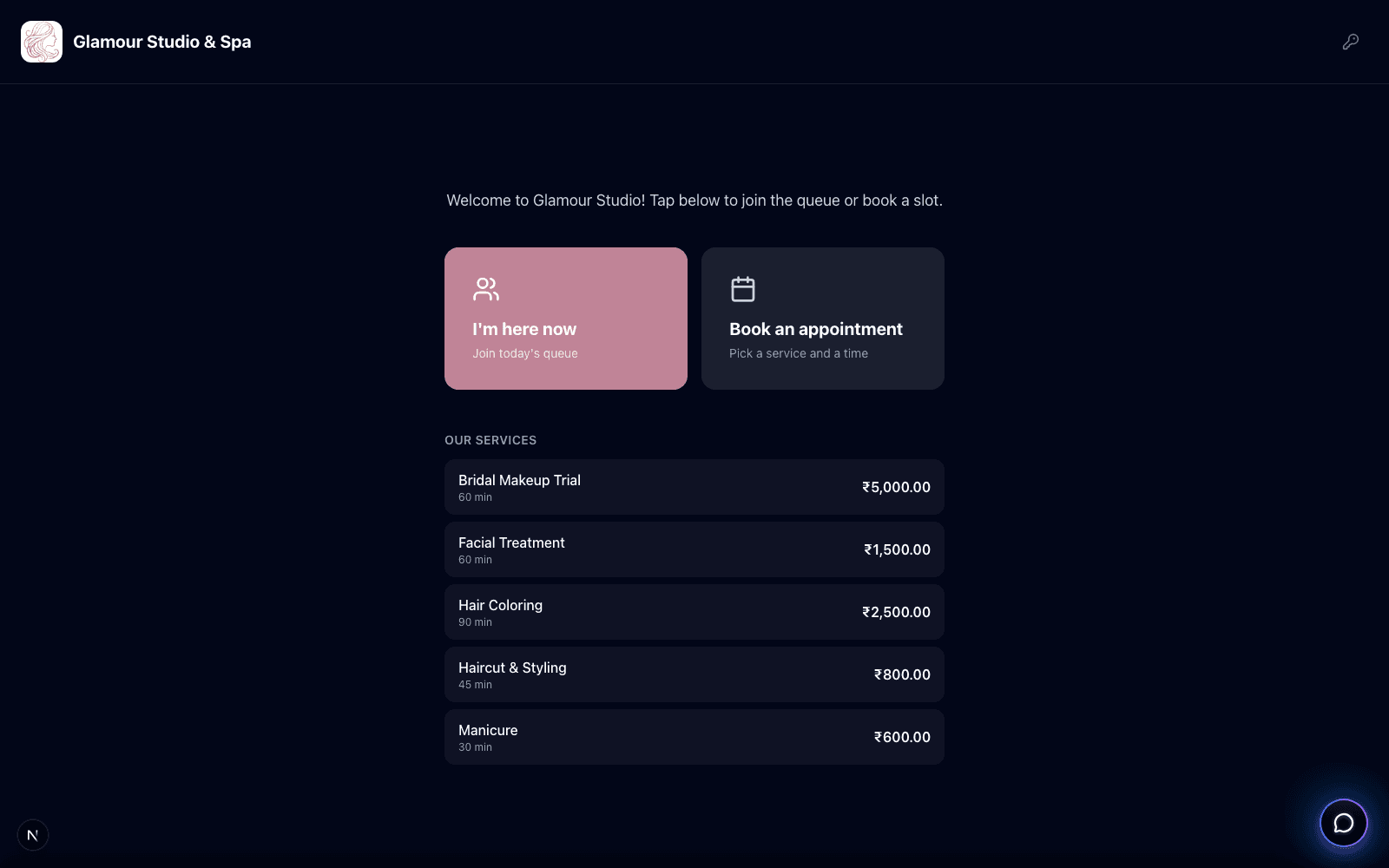
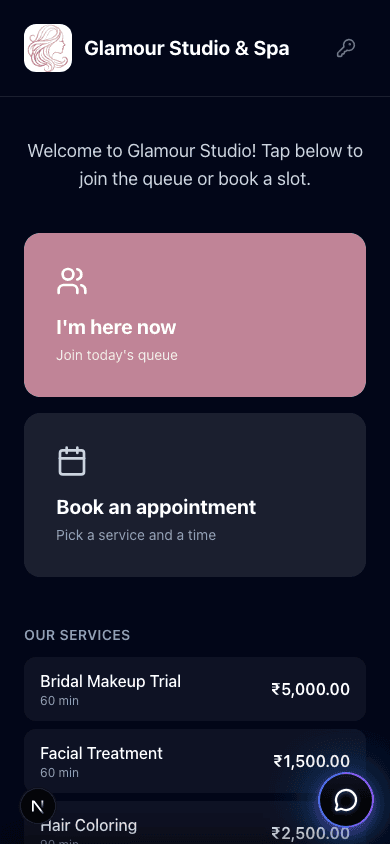
Joining the queue takes two fields - name and phone - plus whatever else you choose to ask for in your check-in form. The customer gets a ticket number back immediately, no account or app download required. On a phone-sized screen, the same flow adapts cleanly, which matters if you'd rather point customers at a QR code than buy a dedicated tablet.
The staff side: one live board, every channel
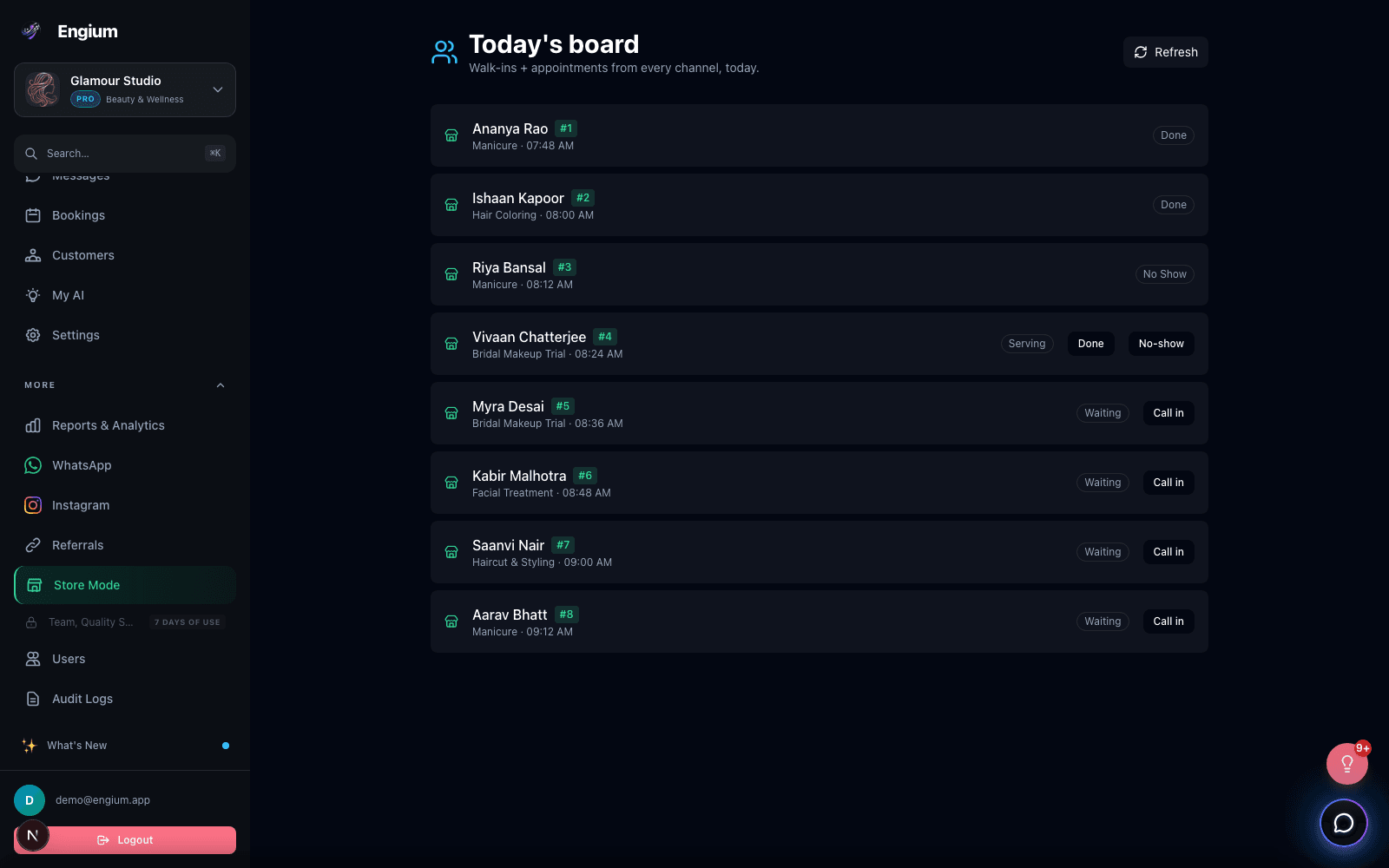
A small "Staff" button on the kiosk screen prompts for a PIN - not a full dashboard login - and reveals today's board: every walk-in queue entry and every appointment booked through WhatsApp, voice, or SMS, sorted by time, on one screen. Staff mark a customer as being served, done, or a no-show with a single tap, and the queue number updates for everyone watching the same tablet.
Why a PIN instead of a login
The tablet at your front desk is a shared, semi-public device. Store Mode's staff PIN unlocks just the live board on that one screen - it never exposes the owner dashboard, billing, or settings, so you can hand the tablet to any team member without handing them your login.
Setting it up
Store Mode lives under Settings in your Engium dashboard, and setup is three steps: flip it on, write a welcome message and pick an accent color, and set a staff PIN. Everything - the welcome copy, the accent color, and any extra check-in fields you want to collect - previews live before you save.
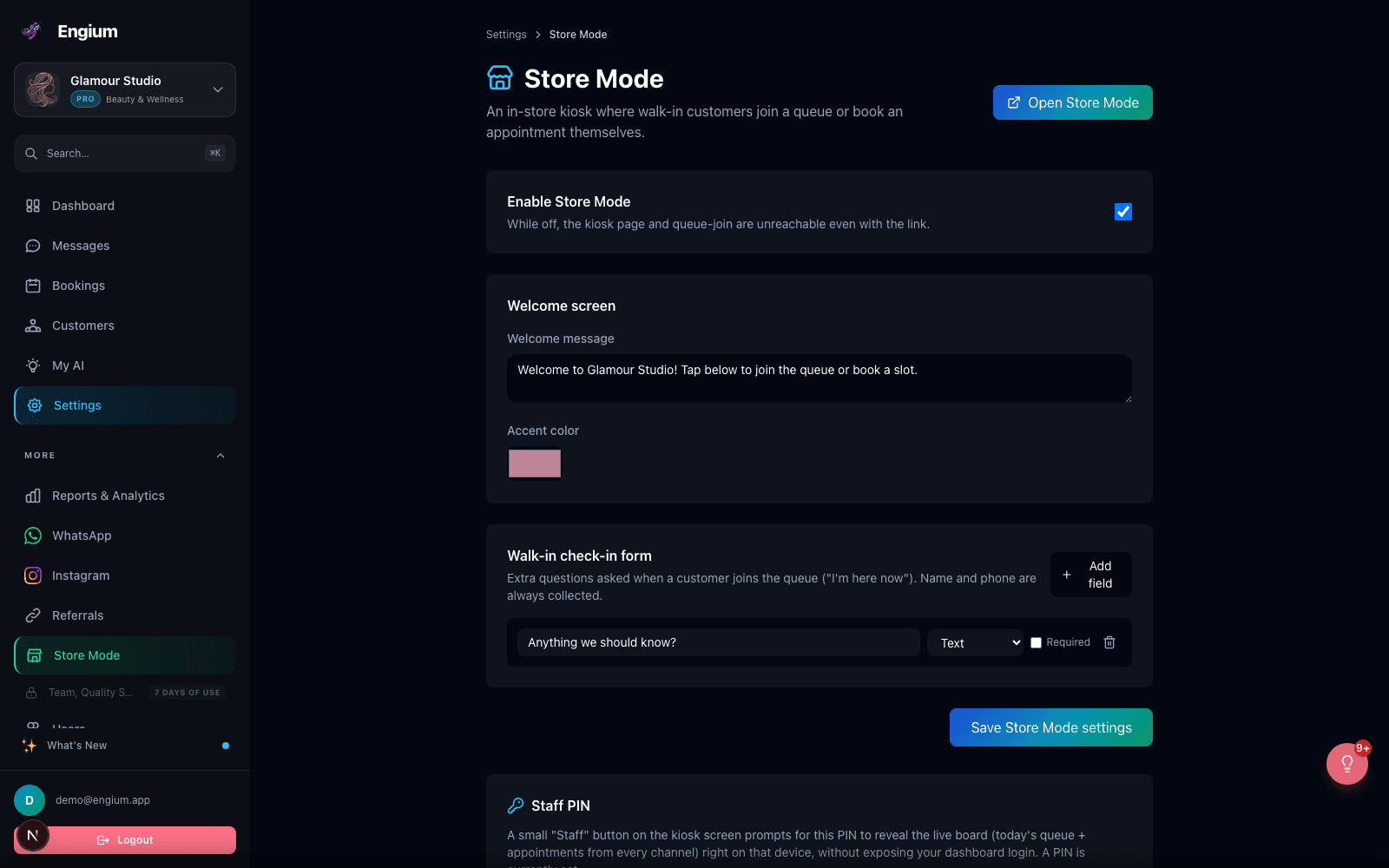
- 01.Toggle Store Mode on - while off, the kiosk link and queue-join endpoint are unreachable even if someone has the URL
- 02.Write your welcome message and pick an accent color that matches your brand
- 03.Add any extra check-in fields beyond name and phone (allergies, referral source, party size - whatever you need)
- 04.Set a 4-8 digit staff PIN so any team member can unlock today's board on the shared tablet
- 05.Open Store Mode from the settings page to get your kiosk link, or print it as a QR code for the counter
Who this is for
Store Mode only appears for businesses Engium classifies as physical-location - salons, spas, clinics, gyms, and similar - based on your industry and sub-industry. If your business is purely remote, you will not see it in your settings, and that is intentional: it is one more thing to configure, and it should only show up when it is actually useful.
Try it today
If you already have an Engium account and run a physical location, Store Mode is live under Settings right now - turn it on, set a PIN, and put a tablet at your counter. If you are not on Engium yet, every plan that supports bookings supports Store Mode from day one.
Was this helpful?